For podcast studios and podcasters
You record the show. Podcast SOS takes care of the grunt work.
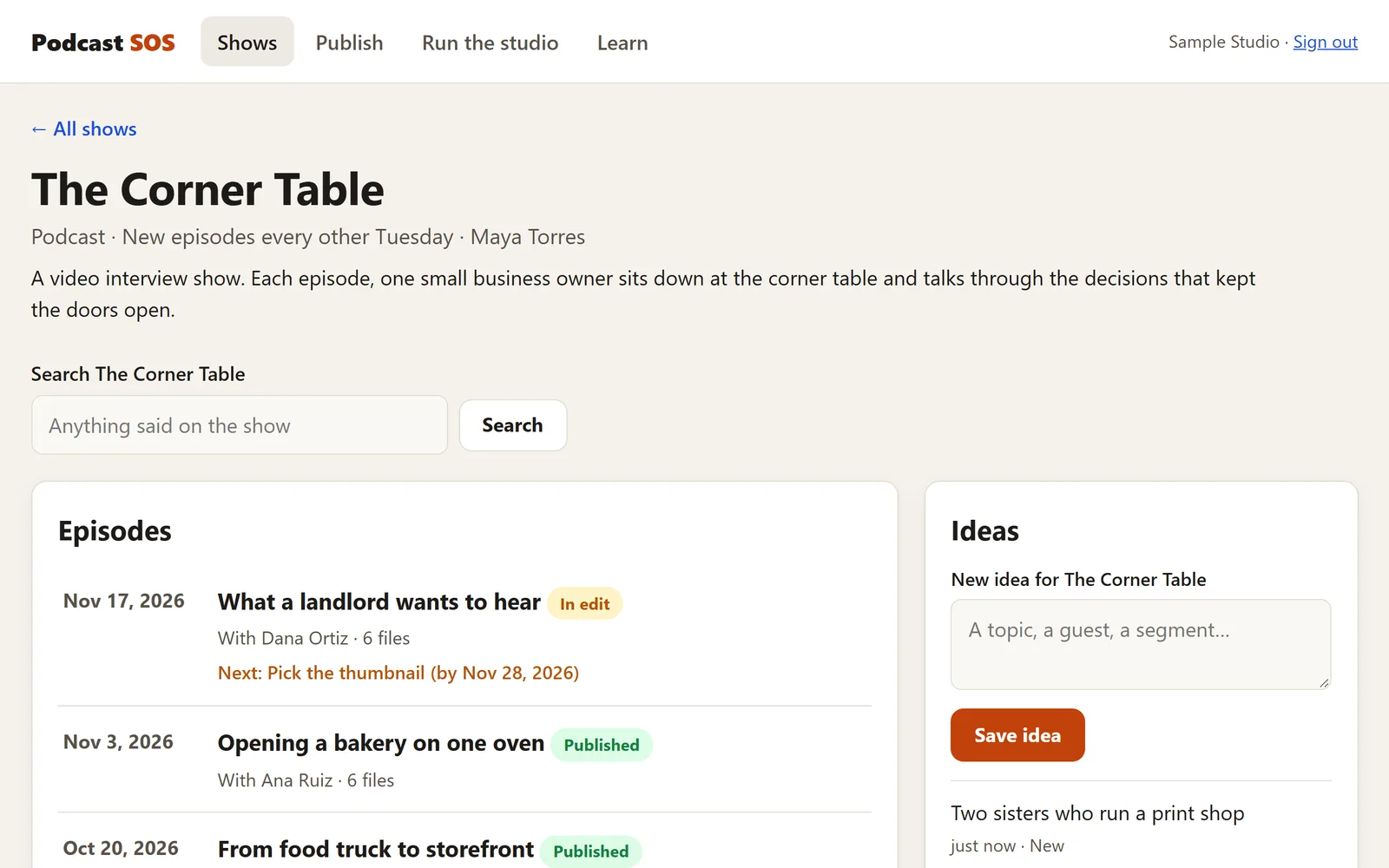
Your shows, episodes and recordings in one place. One button lines up your cameras and mics, cuts to whoever is talking, writes the transcript and makes the captions. It builds your show's website and runs your studio from one screen, all on your own Windows PC.
- Runs on Windows
- Pay once
- Works without an AI
- Your files stay on your drives
Made for two kinds of people
Studio owners
You record shows for other people. Keep every show in one place with its episodes, guests, files and transcripts. Hand each episode to your editor lined up and ready, and run the room's cameras, buttons and stream from one screen.
Podcasters
You make your own show, and editing eats your week. Get the slow parts done for you: the transcript, captions, the ums found and taken out, short clips for social, and a website for the show.
Same app. Creator covers one show, Studio covers every show you record. Setup asks which one you are.
What it does
Every show in one place
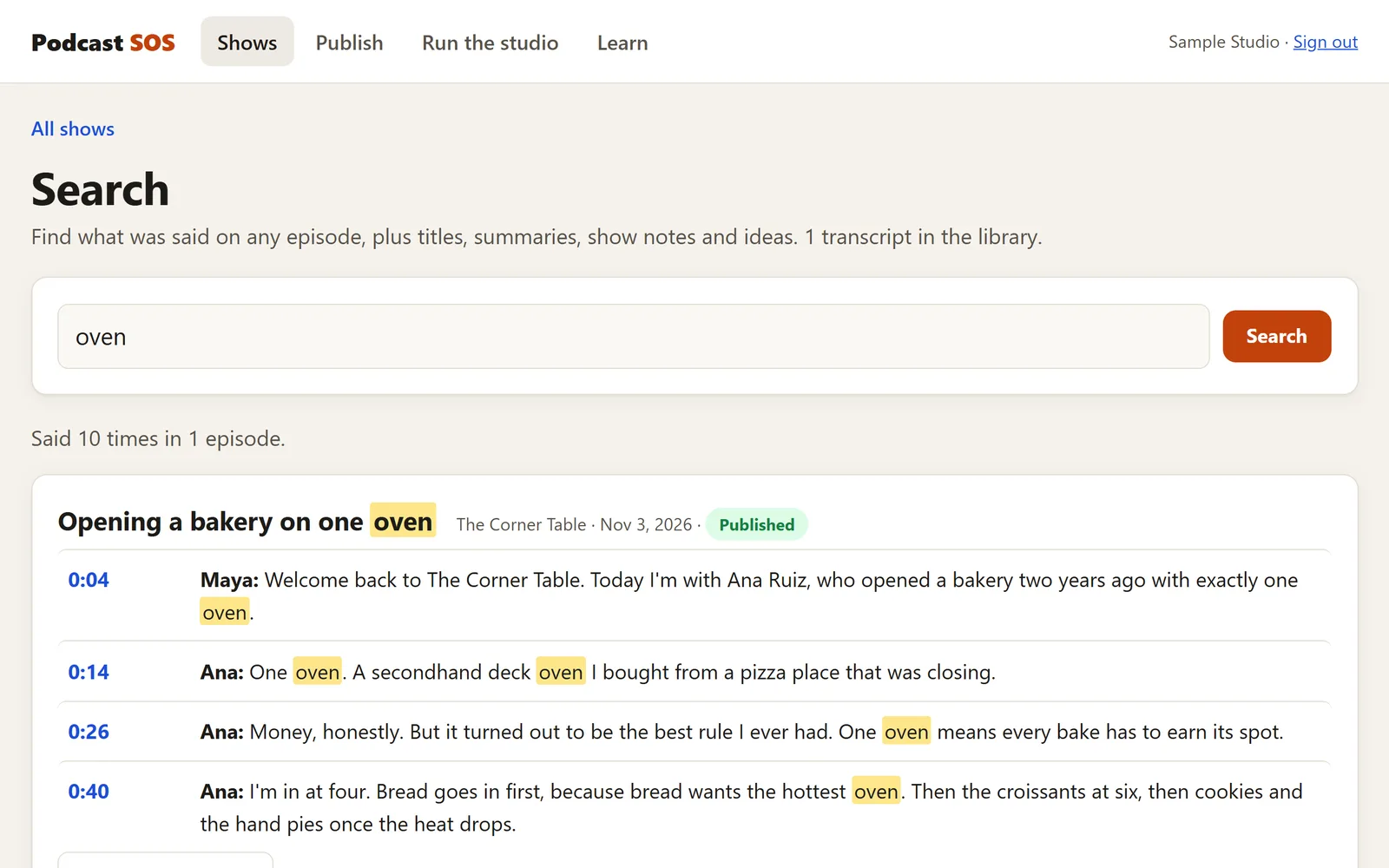
Each show gets its own page with its episodes, guests, ideas and recordings. Recordings stay where you keep them: on your PC, a network drive, Google Drive, Dropbox or OneDrive. Every transcript is searchable, so you can find the episode where a guest said something.
One button preps the episode
Press Make edit prep and come back to:
- every camera and mic lined up by their sound
- a camera cut that switches to whoever is talking, ready to open in Premiere
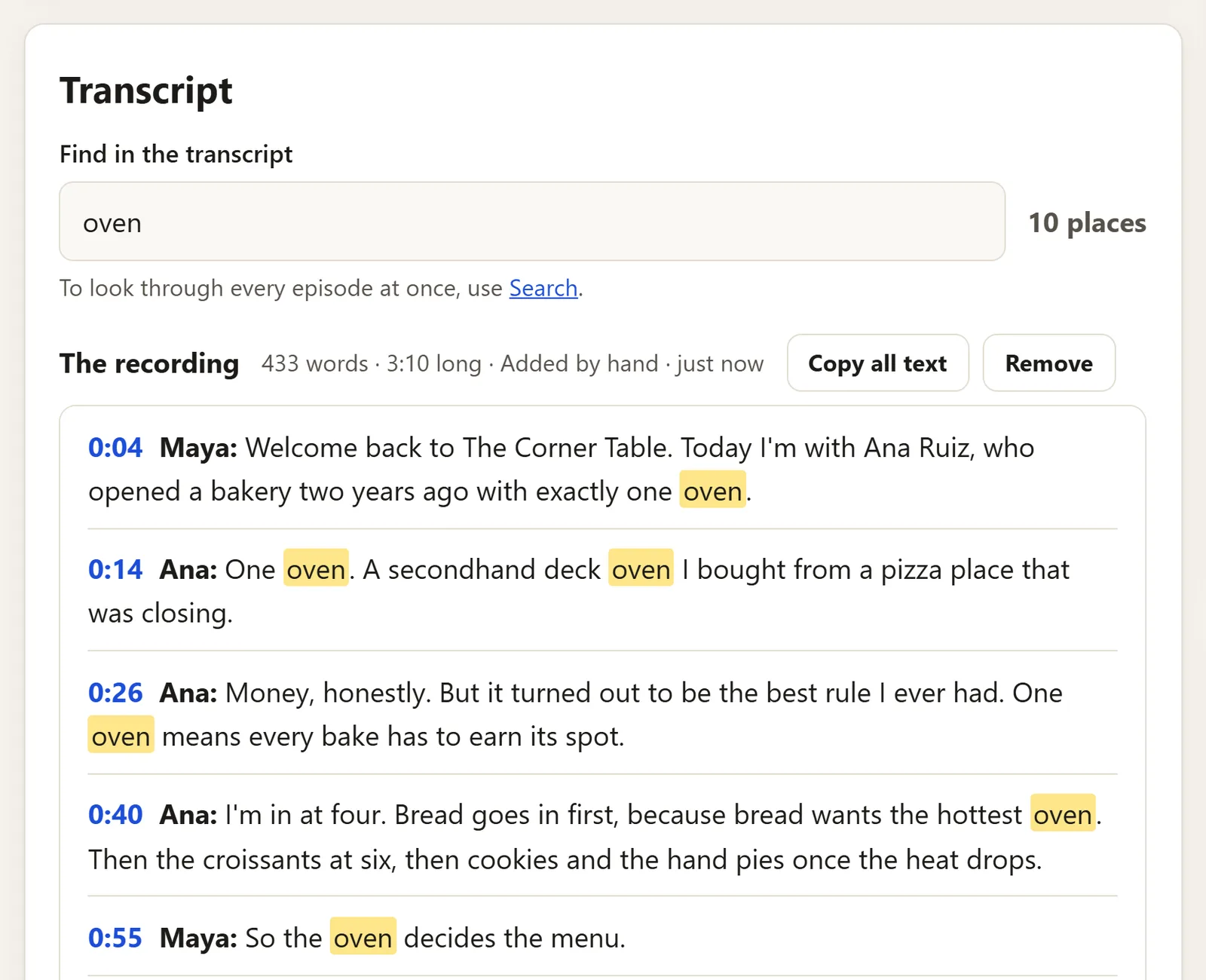
- a transcript, written on your own PC
- the ums, uhs and curse words found, with a cleaned-up sound file
- captions, word by word
- short vertical clips for social, with captions
- edit notes: chapters, suggested cuts and title ideas
Audio-only show? You get a cleaned-up sound file, show notes and audiogram clips instead.
Picking the clips and writing the notes use an AI you connect. The rest of this list works without one.
A website for every show
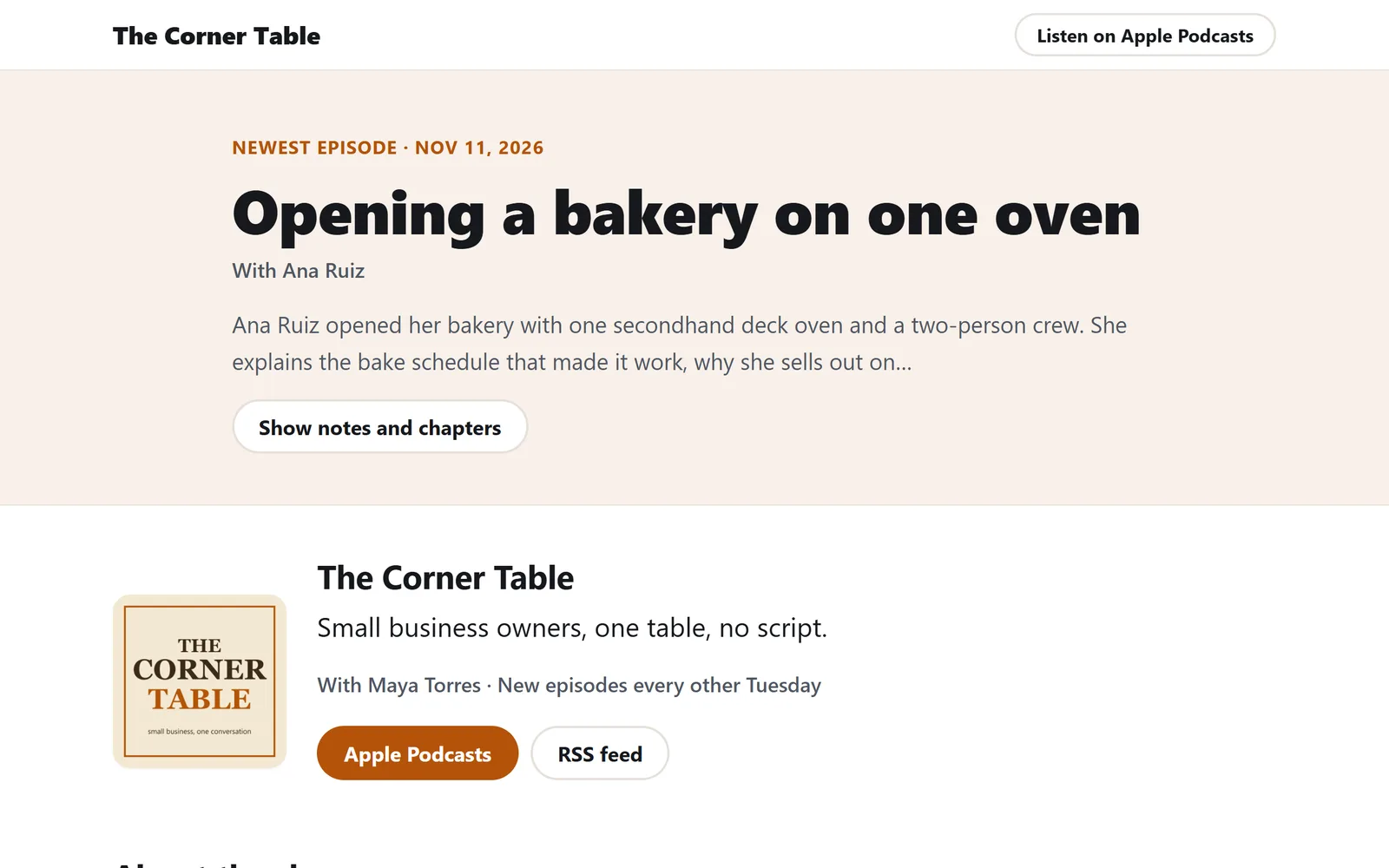
Pick one of four looks, add your cover art and listen links, and Podcast SOS builds the site, with a page for each episode. It can fill in episodes from your podcast's RSS feed. Upload it to your own web host with one button (DreamHost or any SFTP host, Netlify or WordPress) or download it as a .zip.
Run the studio from one screen
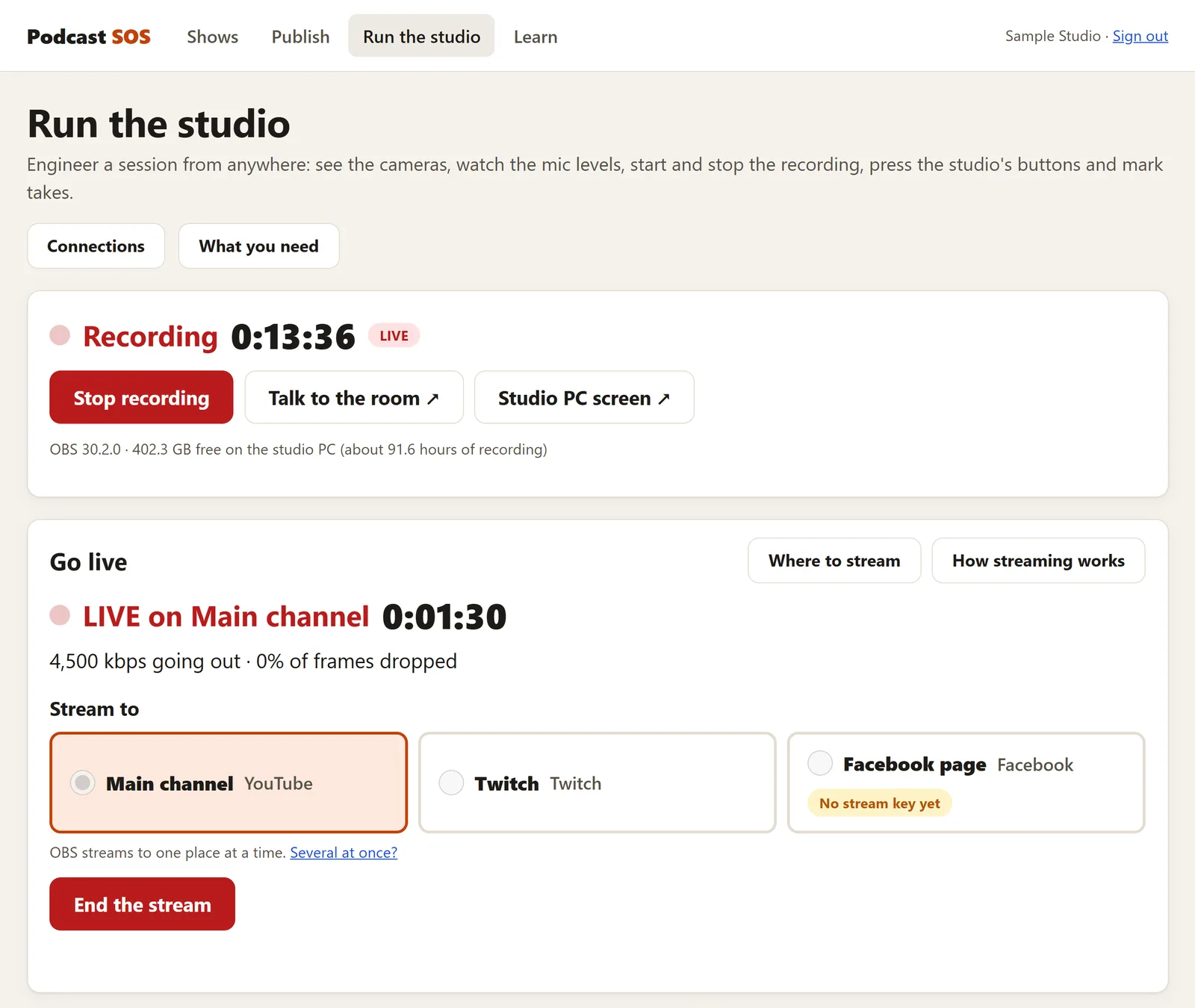
See every camera, every mic level and how much recording time is left on the disk. Switch scenes, start and stop the recording, press your Companion buttons and mark good takes as you go. When the show is live, start the stream to YouTube, Facebook or Twitch from the same page.
Works with OBS Studio and Bitfocus Companion, both free.
Also in it
First edit
A first pass at the edit, with retakes, false starts and long pauses taken out. You see each cut next to the raw recording and put back anything it shouldn't have cut.
Send to an editor
One button makes a folder your editor can open straight away: every file lined up to start together, plus timelines for Premiere and Audition.
Social posts
For each clip, the title, caption and hashtags for each app, and a plan for what to post when. You do the posting: copy, paste, mark it done.
Learn
A plain-words guide to podcast gear, with a cost planner and a checker that tells you if your pieces work together.
Connect an AI, or don't
Use an AI you pay for with your own key, a free one on your own PC, or none at all.
What it doesn't do yet
So you know before you buy:
- It doesn't upload episodes to your podcast host or to YouTube. You do that part.
- It doesn't post to social apps for you.
- Clients can't review edits online yet.
- Run the studio controls one location, not several rooms at once.
- It runs on Windows only. There's no Mac version.
Works with or without an AI
Transcripts, captions and finding the ums use speech-to-text that runs on your own PC, free, with no account. A few steps write or choose things: picking short clips, edit notes, social posts and the first edit. For those, connect an AI (a paid one with your own key, or a free one on your PC) or skip them. A skipped step doesn't stop anything else.
Pay once. Keep it.
Two sizes
Creator $199 for one show, Studio $999 for every show you record. Paid once, with no monthly fee to keep using it.
Updates included
Every version 1 update is free. Nothing updates by itself, so a setup that works stays working.
One studio, every PC in it
One license covers your studio, or your own setup, on all the PCs it uses.
Help if you want it
Optional monthly onboarding, from $49 a month, for setup calls and a hand with your gear. Cancel any time and you keep everything.
Who makes it
Podcast SOS is made by Dre Jericho in Los Alamitos, California, and was built for real podcast shoots first.